Email Notifications

Markdown

View as Markdown

Whenever the chatbot has a complete conversation with your visitor, an email notification is sent to your email address. You can configure the additional settings for these notifications via Settings.
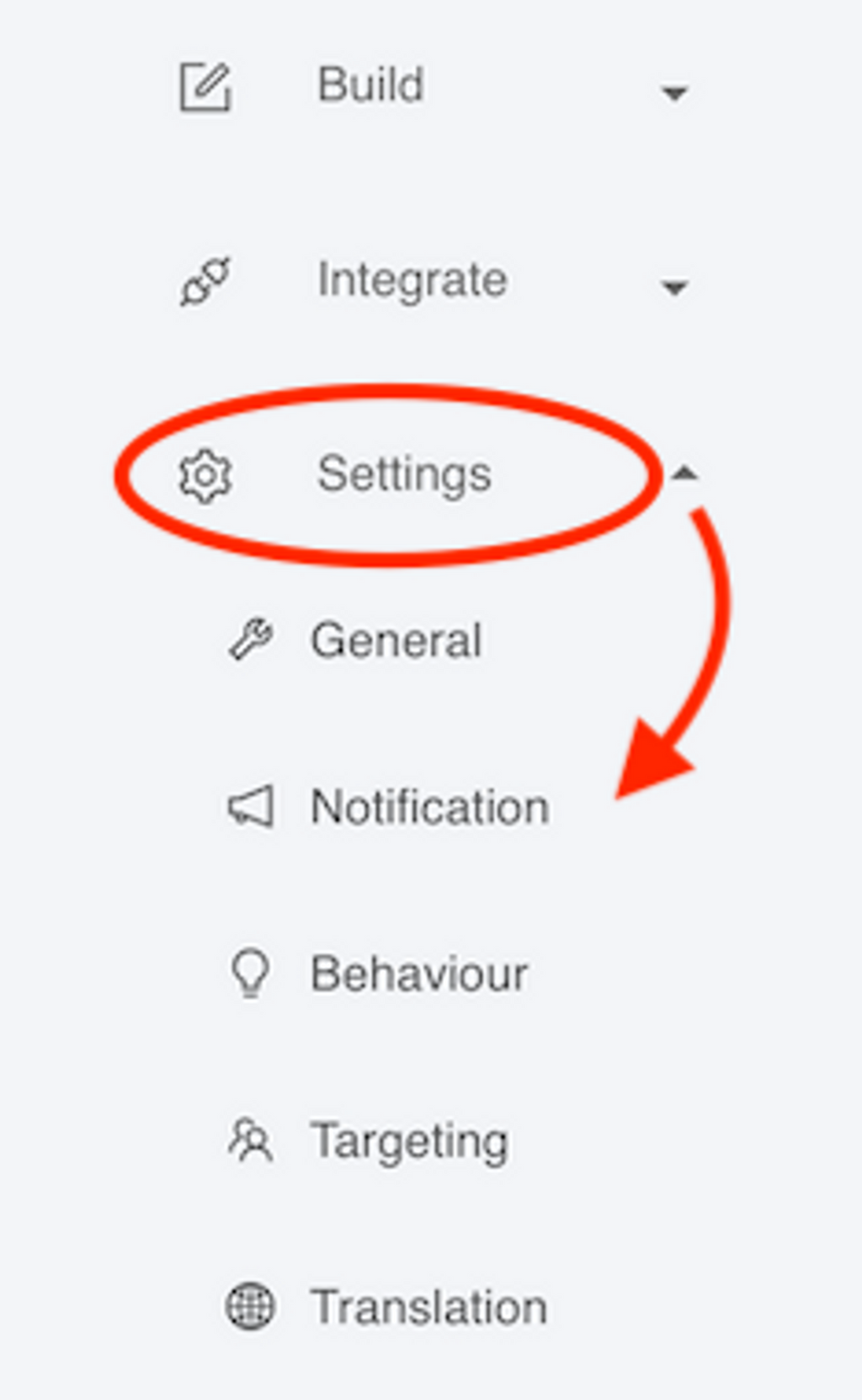
Enable Notifications

You can turn on or off email notifications. It will turn off all email notifications.

Send Incomplete Responses

You have the option to turn on email notifications for partially completed or incomplete responses (as we call it). Here you can decide a primary question in your chatbot. For example, it can be the email question. You will get an email notification, when the user has filled the conversation upto that primary question.

You can also choose to not select any primary question and leave it blank. In this scenario, the chatbot will send notifications, when user leaves the conversation and moves to another page or window; or if user closes the chatbot widget.

We recommend setting a primary question from the dropdown list.

From Address

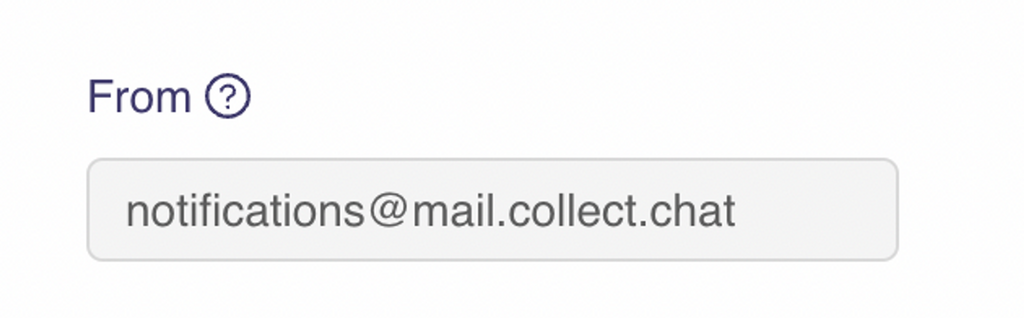
By default, the from address for notifications is [email protected]. Please make sure that this email address has not been added to your spam list.

If you wish to change this address, please send us an email with a valid reason.
To Address

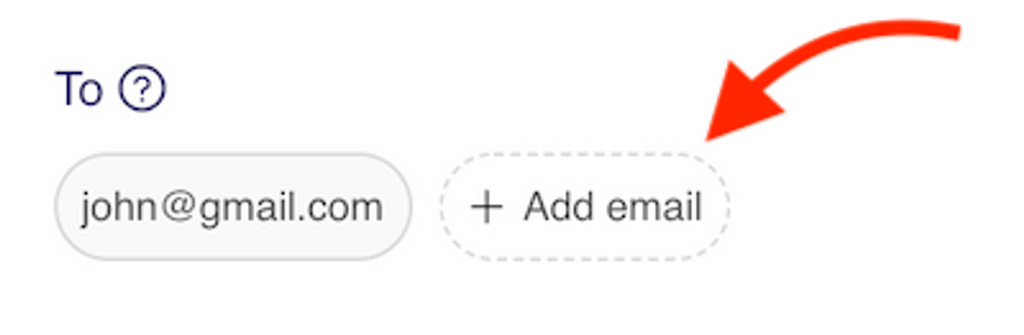
The email address to which the notifications will be delivered to will be set to your login email address by default. You can change the email address here.

You also have the option to add multiple receiver email address.
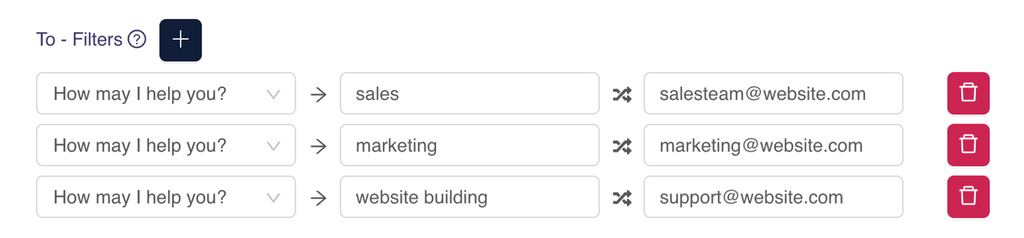
To - Filters

You can apply filters on the response to route the emails based on user choice. This is explained here.
Reply Back Options

You can reply back to the visitor who had the conversation. This is possible only if you are asking for the visitor's email address.

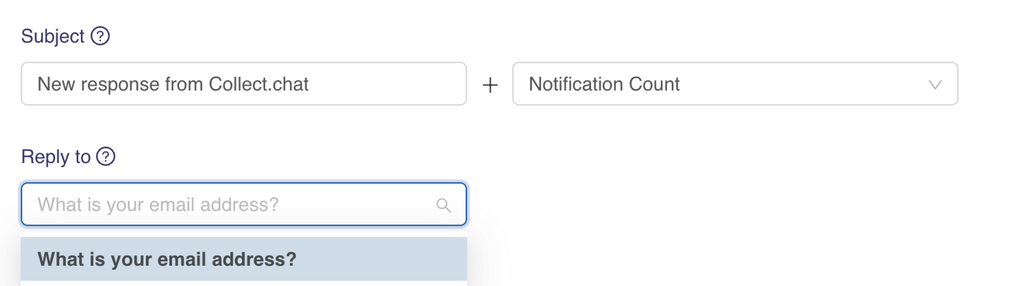
Here, you can change the Subject of the message you are receiving. The Subject has two parts. The first part can be edited as you wish. The second part of the subject line

  • can be left empty.

  • can be set to the Response Count.

  • can be set to the answer of a question from the conversation.

Similarly, in Reply to, you can select the email question which is collecting the email address of the visitor. This email address will be used for your email communication.


Still need help?

Contact us

Was this article helpful ?

Still need help?

Contact us

General

General

How to create your first chatbot with Collect.chatGoogle Tag ManagerMailChimpShow or Hide the bot based on URLSet up custom domain for chatbot pageEmail NotificationsResponse StatusWhere can I get my Invoice?Facebook PixelSend the data to your server using webhookGoogle CalendarIs there a discount?How to add chatbot to BigCommerceTranslate your ChatbotLogical JumpGoogle SheetsSalesforceMultiple Emails and RoutingFreshdeskIntegromatMy payment has failed, what to do?What is a response?I am getting spam responsesZapierWhat happens when I upgrade or downgrade?LeadsBridgeGoogle AnalyticsWhy am I not getting email notifications?How to add billing address to my invoice?Webhook in my chatbot is not workingThe changes I made to my chatbot are not visibleWhat is your refund policy?Why is my chatbot not showing up on my website?Do you have a trial account?How to add chatbot to WordPressHow to cancel my account?How to add chatbot to Medium BlogsHow to add chatbot to ShopifyHow do you charge us?How to add chatbot to CloudflarePermanently remove my chatbotHow to make the payment?How to add chatbot to NotionCan I use Collect Chat for free?What happens when I cross the response limit?How to add chatbot to Mobile AppHow to add chatbot to WeeblyHow to add chatbot to TumblrHow to add chatbot to SquarespaceHow to add chatbot to WixShare chatbot as a Landing PageHow to add chatbot widget to WebsiteConversational Marketing Chatbots and Collect.chatHow Chatbots work inside a WebsiteHow to embed chatbot in a webpageDesign a conversational landing pageCreate a copy of the botAdd a custom avatarCan I block responses from an IP address?How to add a welcome message to chatbot widget?Add a video from LinkedIn to the chatbotStop saving data on Collect.chat's serverAdd slides from SlideShare inside the chatbotAdd a video to the chatbotCan I customize the speed of the conversation?Validate phone number inside chatbotHow to capture email addresses?Open the chatbot if user is about to leaveShow or Hide the bot based on ReferrerAddress users by name using variablesEdit the chatbot conversationShow or Hide the bot based on LanguageHow to design my chatbot?Add an image to the chatbotShow or Hide the bot based on API parametersShow or Hide the chatbot based on deviceShow or Hide the bot based on CountryShow or Hide the bot based on UTM tagsShow or Hide the bot based on Operating SystemManage the date and time of when bot has to appearHow to target my users?Show or Hide the bot based on browserOpen the chatbot as the user is scrolling downTeam CollaborationShow or Hide the bot for repeating visitorsHow to hide the chatbot for a user who has already given answersOpen the chatbot widget based on a timerRedirect to a URL based on user choiceWhat is a Script Type?Add data from URL parameters inside a conversationWhatsApp typeOpinion Scale TypeAppointment typeFile Upload TypeThank You TypeText Question TypePhone Number TypeSet up custom domain for chatbot pageRange TypeLinks TypeNumber TypeDate TypeMessage TypeRating TypeEmail TypeAdd live chat supportMulti Select TypeList TypeCapture UTM parameters from URLsSend data from chatbot to pre-fill a webpageTrigger chatbot from a Link or ButtonMulti Choice TypeHide welcome message in mobileHide welcome message for repeating visitorsHow can I analyze my data?Load a new chatbot for repeating visitorsHow to edit my personal information?Add custom messages to the conversationTrack your chatbot using custom analyticsAdd custom data in chatbot responseIdentify a user in Email or SMS campaignsDynamic web pages based on user choiceHow to enable developer options when the chatbot type is Embed?Invoke a new chatbot on the same webpageOpen the chatbot instantly on page loadDo you have an API or tools for developers?Can I export my data?Why do I see symbols in my exported CSV?Do you have support for RTL languages?How to accept only business emails?How to get IP address of chatbot userWhat does your Unlimited Plan offer?How to accept payment via the chatbot?In WordPress, how can I embed a chatbot inside a page or a post?In WordPress, how can I add a different chatbot for a different page?How to trigger a bot from a WordPress Menu?In WordPress, how can I control the behaviour of the bot?How to change my email address?Publish the chatbotHow to be an affiliate?How to change metadata for chatbot pageCan we make a messenger chatbot?Are you GDPR compliant?Can I use multiple chatbots on my websites?Where can I see my Bot ID?How to change my password?Hide welcome message everywhereSetup different chatbot on different pages of the websiteTemporarily disable my chatbotRedirect to a page when conversation endsMulti Select and Multi Choice, what's the difference?Copy a MessageHow to add chatbot to WordPressIn WordPress, how can I embed a chatbot inside a page or a post?WhatsApp typeHow to trigger a bot from a WordPress Menu?In WordPress, how can I control the behaviour of the bot?Send the data to your server using webhookIn WordPress, how can I add a different chatbot for a different page?Welcome to the AI-first Help.Center!Welcome to the AI-first Help.Center!